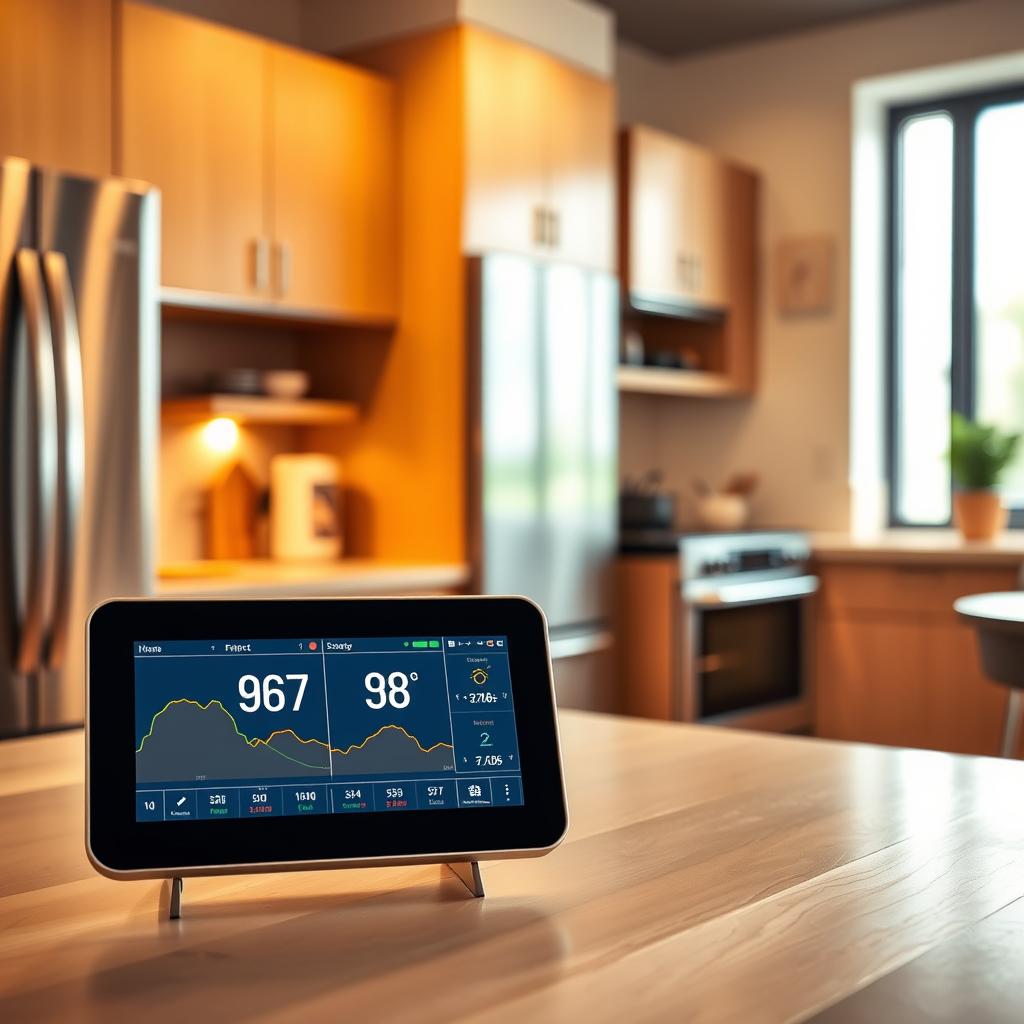
Can a simple meter and a few smart plugs change how your home uses power—and save you money during a remodel?
We guide homeowners through how a home energy monitor turns invisible electricity flows into clear, usable data. Whole-home units clamp at the panel while plug-in devices give appliance-level detail.
Our approach shows which outlets and circuits drive the biggest loads so you can prioritize upgrades during a remodel. We explain why high-frequency sampling and appliance signatures from brands like Emporia, Sense, and Efergy matter for reliable device detection.
Expect practical steps: choose a panel-based system or smart plugs, read the app dashboards, and plan dedicated circuits with your designer. For lighting and layout advice tied to monitoring choices, see our guide on lumens and design at how many lumens your kitchen needs and coordinate cabinetry and smart backbone at our kitchen hub.
Key Takeaways
- A home energy monitor reveals where electricity usage is highest so you can target upgrades.
- Panel-based systems give whole-home visibility; smart plugs deliver appliance control.
- High-frequency sampling and signature detection help identify fridge, range, and dishwasher use.
- Brands like Emporia, Sense, and Efergy offer scalable options for solar and storage later.
- We combine meter data with design planning to improve comfort and ROI during a remodel.
Why monitor energy in the kitchen right now
Tracking real-time use in the heart of the home can cut bills and help you plan smarter upgrades. Real-time feedback from a home energy monitor often delivers about 2–9% savings, depending on local rates and habits.
Acting now matters: time-of-use rates and more efficient appliances mean timely insight converts into money saved. Seeing electricity at the point of use helps you prioritize improvements that return the biggest payoff for your home.
- High-demand cycles—fridge, dishwasher, and ranges—create peak power windows that drive monthly charges.
- Real-time data shows when to delay cycles to off-peak time and how to group tasks to smooth spikes.
- Pattern spotting reveals abnormal consumption that may signal maintenance before it costs you money.
- For remodels, measured use lets you right-size circuits and choose appliances with confidence.
We recommend pairing monitoring with design planning. See our guide to modern kitchen planning to align cabinetry, ventilation, and electrification so your monitoring strategy fits the bigger remodel vision.
Understanding home energy monitors for kitchens
Deciding between panel-level data and outlet-level detail is the first step to a smarter renovation. We break down how a whole-home unit at the electrical panel compares with smart plugs and appliance-level sensors so you can match detail to design goals.
Whole-home visibility vs outlet-level detail
Panel-based units clip at the electrical panel to track total home consumption and detect appliance signatures across circuits. They give trend context and spot large 240V loads safely.
Outlet-level devices plug into receptacles to show exact usage for single devices. They excel at pinpointing vampire loads but aren’t suitable for ranges or other 240V appliances.
- Trade-offs: outlet detail for precision; panel coverage for completeness.
- Sensors at the panel feed time-stamped data to apps for real-time and historical views.
- Combine both: whole-home visibility plus a few smart plugs to resolve ambiguous devices.
How sampling and signatures work
High sample rates and machine learning let an energy monitor distinguish a compressor cycle from a heating element. Learning windows can take weeks or months as the system refines device IDs.
We recommend starting with panel visibility, then adding targeted outlet sensors to speed up identification and drop always-on consumption quickly. See how our team aligns monitoring depth with your renovation goals at Zove Homes.
Types of energy monitoring systems for kitchen use
Choosing the right system lets you see whole-home trends or track specific appliances with simple plugs and sensors.
Whole-home monitors at the electrical panel
Panel-based units mount at the electrical panel to capture total house power and detect large 240V loads safely. They provide centralized data that helps during a remodel and futureproof wiring plans.
Smart plug monitors for individual appliances
Smart plugs are DIY-friendly and ideal for coffee makers, microwaves, and other small devices. They report outlet-level usage and can cut phantom draw, but they are not suitable for 240V ranges.
Clip-on current sensors for selected circuits
Clip-on sensors wrap around circuit conductors to give targeted circuit reads. They bridge the gap between whole-home and plug-level detail and work well for fridges or dishwashers without many plugs.
Integrated systems with batteries and solar visibility
Some ecosystems show generation and storage alongside house consumption. Examples: Emporia Vue 3 ($99.99–$199.99) supports up to 16 sensors, Efergy offers in-home displays, and Sense uses ML for device identification and solar/net metering insights.
- Combine options: a panel unit plus a few smart plugs pinpoints ambiguous loads while keeping whole-home context.
- DIY vs pro: plugs are easy; panel installs and circuit sensors often need an electrician during a remodel.
- Learn more: compare products and setup tips at home energy monitors.
energy monitoring kitchen: matching solution to your renovation goals
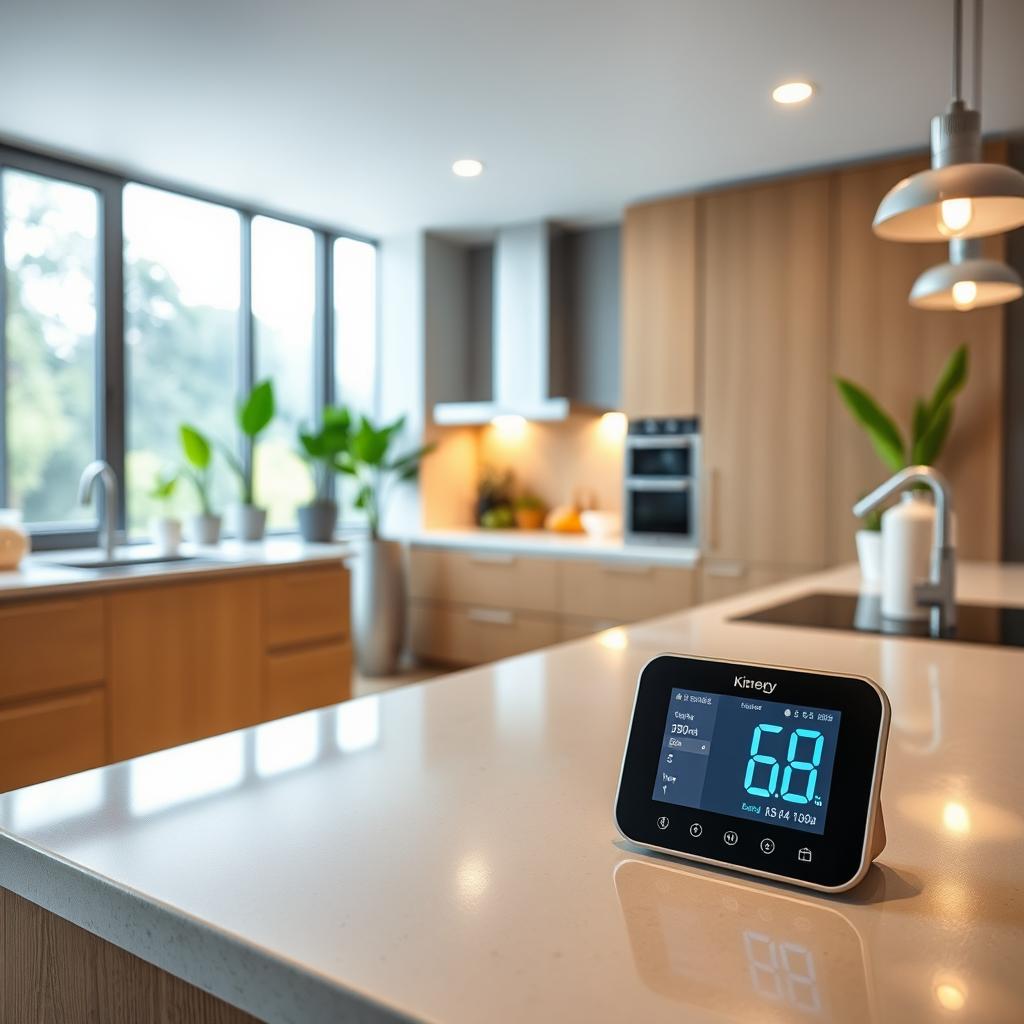
Plan circuits and sensing together so each new outlet or subpanel gives useful insight, not guesswork. We help you align wiring, appliances, and measurement so remodel decisions are backed by clear facts.
Remodeling scenarios: new circuits, subpanels, and dedicated outlets
We map your remodel scope—dedicated circuits for ranges, dishwashers, and refrigerators—to the right monitor approach. Adding a subpanel for a modern layout? A panel-based unit can isolate those feeders and simplify ongoing review.
When circuit-level vs device-level data matters
- Circuit-level is often enough when a single appliance sits on its own breaker, like a dishwasher or range.
- Device-level wins when many small appliances share a receptacle and you need granular usage to validate upgrades.
- We pair targeted sensing for special outlets—espresso, undercounter refrigeration—to verify performance and power draw.
- Our roadmap coordinates electrician schedules with cabinetry and lighting milestones so measurement hardware integrates cleanly.
Outcome: a pragmatic plan that de-risks selections, validates specs, and confirms the new space behaves as designed in your home.
Key features to compare before you buy
Shop for capability, not hype: look for reliable device IDs, clear cost overlays, and strong app alerts. We focus on features that convert raw meter data into actions you’ll use every day.
AI/ML appliance recognition and learning timeframes
AI can identify devices from signature patterns, but learning takes patience. Expect weeks to months before names appear reliably.
Mobile app UX, alerts, and historical data
A clean mobile app with push alerts and easy charts matters more than specs. If you ignore the app, you lose the benefit.
Real-time cost tracking for time-of-use rates
Look for TOU overlays that translate watts into dollars. Real-time cost views nudge smarter scheduling and lower bills.
Solar production tracking and net usage views
If you have panels, choose a system with net metering views. Seeing production vs house consumption helps you time meal prep to solar output.
Smart home compatibility: Google Home, Alexa, HomeKit
Integrations unlock automations. We recommend Google Home or Alexa support plus smart plugs when you want outlet control.
- Tip: Panel installs carry shock risks—hire a licensed electrician. Smart plugs and some sensors are DIY-friendly.
Installation and safety considerations in U.S. homes
Before any device is clipped to a breaker, safety and timing must guide your installation plan. We coordinate licensed electricians and stage installs to match cabinetry and appliance timelines so monitoring goes in once and works for years.
DIY-friendly smart plugs vs panel work for pros
Smart plugs are fully DIY and ideal for small appliances and phantom draw. Clip-on current sensors also fit without rewiring and add circuit-level visibility.
Panel-based units, especially around 240V feeds, should be installed by a licensed electrician. Expect pro labor of about $150–$300 beyond equipment costs for safe panel work.
Electrical panel constraints, split-bus, and subpanels
Older panels may be crowded or split-bus. In those cases a subpanel can simplify sensor placement and future service.
- Permits and code: we advise checking local requirements so your system is compliant and insurable.
- Neat installs: labeling, routed wiring, and antenna placement improve reliability and serviceability.
- Scheduling: tie panel access to remodel milestones to avoid rework and delay.
We make safety non-negotiable and help you integrate monitoring hardware into your remodel plan so the system is live when finishes go in.
Budgeting and ROI: what savings to expect
Start with a short budget and a clear payback target so design choices add value, not just cost. We map expected equipment prices, typical install fees, and a simple verification routine that turns data into dollars.
Typical cost ranges for systems and installation
Equipment: popular options like the Emporia Vue 3 range from about $99.99 to $199.99.
Installation: panel-based installs commonly add $150–$300 for licensed electrician work.
From baseline to payback: tracking reductions and dollars
We recommend a two-week baseline to measure current home usage. That gives a clear starting point for improvements.
Households often reduce electricity consumption by roughly 2–9% after using real-time feedback. Translate that into dollars using your local rates.
- Sample ROI: a $300 energy monitor that saves $25 per month breaks even in about a year.
- High-return actions: tune dishwasher cycles, cut phantom loads, or swap inefficient appliances.
- Verification habit: compare month-over-month and season-over-season to confirm savings.
Brand snapshot: popular options and what they offer
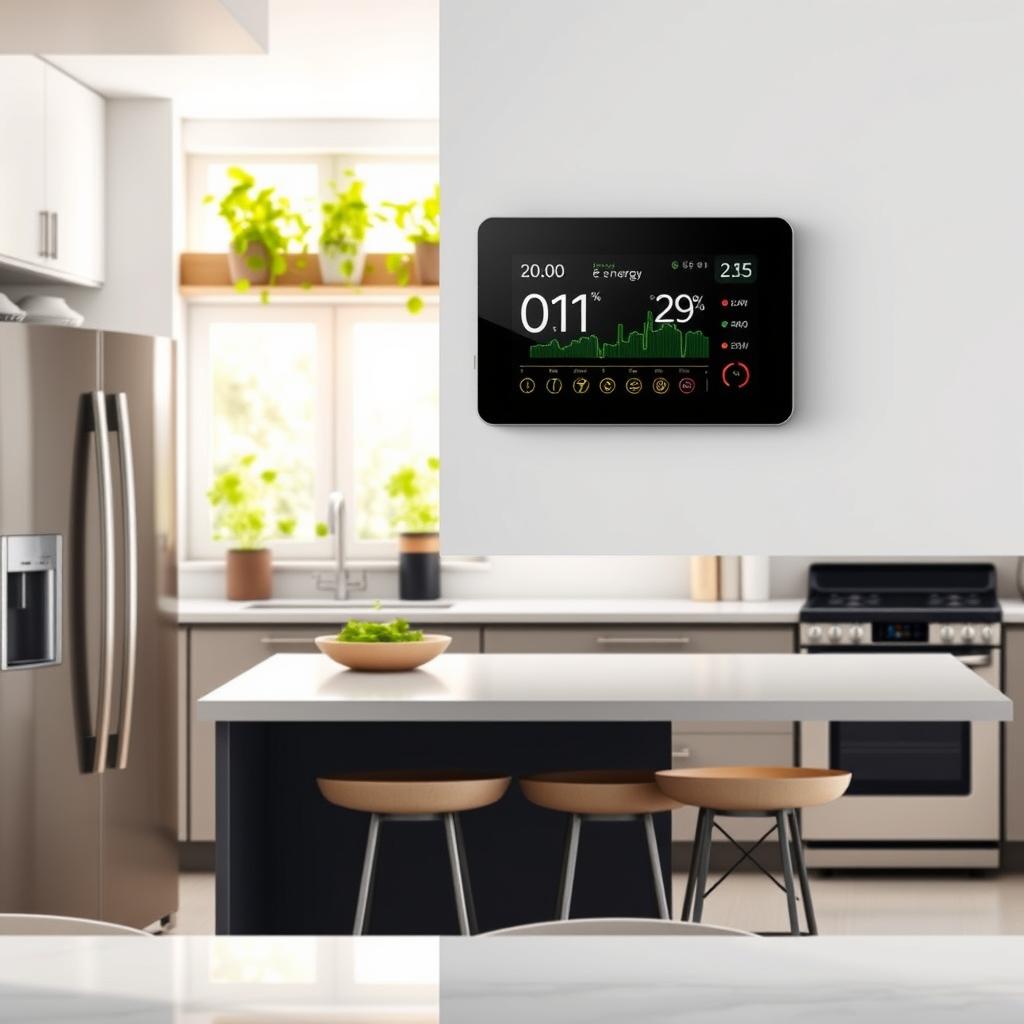
We shortlist the most reliable brands so you can match features to your remodel budget and goals.
Emporia Vue 3 targets circuit-level visibility. It supports up to 16 50A sensors and sells for about $99.99–$199.99. A 3-phase model is available for special cases, and Utility Connect runs about $39.99 where offered.
Sense and Efergy—different approaches
Sense samples current at very high rates and uses machine learning to infer devices. It also handles solar and net metering views for homes with panels.
Efergy focuses on in-home displays and audible alerts, handy for households that want quick status without a phone app.
- Why pick one: Emporia gives granular circuit sensors for fridges and dishwashers.
- Sense uses high-frequency sampling to identify devices without extra sensors.
- Efergy favors simple displays and alerts for easy electricity usage checks.
We remain brand-agnostic: match accuracy, integrations, and budget to your remodel goals and electrical panel constraints for best long-term value.
Smart home integrations that enhance savings
When your systems talk, we turn raw data into routines that save money without extra effort. Integrations let a monitor trigger actions that shift high-demand tasks to cheaper hours.
Automations that shift loads off-peak
We design routines to run dishwashers and other flexible loads during off-peak time automatically. That reduces monthly bills by matching usage to lower rates.
Integrations with Google Home, Alexa, or HomeKit can trigger scenes when thresholds are reached. Paired with a thermostat and lighting scenes, these automations cut secondary heat and overall power draw.
Using smart plugs to cut phantom loads on small appliances
Smart plugs make phantom load control effortless. Schedule off times for coffee makers, microwaves, set-top boxes, and chargers that otherwise draw standby electricity.
- Outlet- and circuit-level automations act on clear signals even if device IDs are imperfect.
- App-driven alerts nudge you to delay a cycle or shut down a forgotten device with one tap.
- Combined with TOU plans, automations execute reliably while you’re away.
We keep integrations simple and family-friendly. Coordinate automations as part of your remodel plan at https://zovehomes.com/kitchen/ so savings are built into the design.
How to set up, read your data, and act on insights
Begin with a calm observation period: record how the house runs for 7–14 days before acting on insights. A clean baseline helps the app learn normal patterns and prevents false alarms when you later change behavior.
Establishing a two-week baseline for the kitchen
We recommend a 1–2 week baseline during typical meal and cleaning routines. Avoid changing settings or schedules while the meter and app collect stable data.
That baseline shows normal daily peaks and off-peak windows. For reference, a typical dishwasher cycle draws about 1 kWh.
Finding energy hogs: dishwashers, fridges, ranges, and more
Use the app dashboards to spot spikes and compare weekdays to weekends. Focus on persistent draws: old fridges, long drying cycles, and always-on gadgets often top the list.
- Pinpoint devices by pairing smart plugs with circuit reads.
- Set alerts for unusual overnight electricity usage to catch stuck devices or open doors.
- Mark the top three opportunities for action.
Creating a savings plan and verifying results
Prioritize quick wins: schedule dishwashers to off-peak hours, tweak appliance settings, or replace a failing fridge. Off-peak runs can cut costs when time-of-use rates apply.
Verify results by comparing month-over-month app reports; typical ROI shows within one to two billing cycles for many households.
We’ll help interpret your data and turn it into a clear action plan—start at https://zovehomes.com/kitchen/.
Kitchen-specific strategies to reduce power consumption
We focus on practical tactics you can fold into design decisions and daily routines. Small changes to appliance settings, outlet control, and lighting make measurable differences in electricity usage and peak power demand.
Optimizing dishwasher cycles and water heating impact
Run full loads and choose eco modes. That cuts heater runtime and reduces electricity and water consumption per cycle.
Skip heat-dry. Air-dry or open the door after a short hold to save substantial power over a month.
Smart plug control for coffee makers, microwaves, and gadgets
Use smart plugs to eliminate phantom draw. Set schedules so countertop devices are fully off between morning and evening use.
Routines also let us group device operation to avoid small, repeated peaks that add up on your bill.
Lighting and plug load tactics during a remodel
Layer LEDs and dimming scenes. Task lighting plus dimmers gives the right light with lower electricity usage.
- Sequence cooking tasks to cluster oven and cooktop use, reducing preheat cycles and peak loads.
- Place dedicated circuits and outlets where heavy appliances live for safety and targeted monitoring.
- Coordinate thermostat and ventilation so kitchen heat doesn’t drive extra cooling energy elsewhere.
Verify with a monitor and act on data. We measure results, keep what works, and adjust cabinetry and lighting plans so your final layout feels better, cooks smarter, and costs less to run. See how we fold these strategies into cabinetry, lighting, and appliance planning at https://zovehomes.com/kitchen/.
Renters vs homeowners: practical monitoring paths
Whether you rent or own, we offer a clear path to better home decisions without guessing. Start with simple tools and grow the setup as your situation allows.
Rental-friendly smart plug setups
Renters can’t modify panels, so a few smart plugs are the natural first step. Put them on the largest outlets—coffee maker, fridge adjuncts, and entertainment devices—to track standby and active draw.
Rotate one plug through different outlets over a week to map use on a budget. That method gives surprising clarity without any electrical work.
Act on findings with simple routines: schedules, auto-off rules, and habit nudges that landlords will appreciate.
Owner upgrades: adding circuits and panel-based monitors
Homeowners can invest in panel-based units and dedicated circuits for major appliances. A panel install and a subpanel for the new layout make future electrification and storage easier.
- Durable infrastructure: panel monitors scale with solar and battery additions.
- Targeted circuits: dedicated breakers let you isolate major devices for exact reads.
- Condo note: building smart panels may provide limited tenant data—supplement with outlet-level tracking for fuller insight.
We recommend starting small, validating savings, then scaling. That keeps costs sensible while building a reliable home energy plan that matches your time horizon.
Data privacy, Wi‑Fi reliability, and app longevity
Before you install a meter, we check how an ecosystem handles your household data and network needs. Choose vendors with clear privacy policies and strong support histories so your device keeps working and your information stays private.
We favor systems that offer straightforward account controls, exportable reports, and transparent retention practices. Sense and Emporia rely on mobile app ecosystems while Efergy also offers an in‑home display for households that prefer local readouts.
- App stability: pick brands with frequent updates, good documentation, and responsive support so the monitor remains useful for years.
- Privacy: review who can access consumption logs and use account settings to limit sharing and anonymize data.
- Connectivity: plan router placement and signal strength to avoid gaps in live reporting.
- Integrations: evaluate Google Home and other integrations for value and data exposure before enabling them.
We also map login management and naming conventions during installation. That keeps household access organized and prevents app fatigue. For ecosystems with long-term support and design-aligned guidance, talk to us at terms for kitchen remodel.
Common mistakes to avoid with energy monitoring
A few simple missteps often explain why a new home meter never delivers the hoped-for gains. We see clients fall into the same traps, and each one is easy to fix.
Start with realistic expectations: appliance recognition can take weeks or months. Don’t assume devices will appear in the app overnight. We often pair temporary smart plugs to speed identification where clarity matters most.
- Don’t DIY panel work. Panel installs risk safety, code violations, and insurance problems. Hire a licensed electrician.
- Take a proper baseline. A two-week snapshot prevents misleading comparisons after you change routines.
- Buy with purpose. Overbuying hardware wastes budget; start small and scale as data highlights priorities.
- Verify and repeat. Review reports monthly so savings don’t fade and phantom draws get scheduled off.
We design clean installs and labeled sensors to protect data quality. Use the monitor to guide changes, then confirm results so your home shows real reductions in consumption and electricity usage. Connect with us at https://zovehomes.com/kitchen/ for help planning and avoiding these mistakes.
Sample starter-to-pro packages for a modern kitchen
Start small with clear goals: a couple of smart plugs and a simple app can reveal surprising savings fast. We design packages that scale from DIY to pro installs so your remodel stays on budget and on schedule.
Starter: a few smart plugs and a clear app
We recommend 2–4 smart plugs on your busiest outlets to map standby and active draw. This DIY kit gives quick wins and helps cut phantom loads with schedules and alerts.
Advanced: circuit sensors for major kitchen loads
Add clip-on sensors for fridges, dishwashers, and microwaves to get precise circuit-level readings. Circuit sensors speed identification and give ongoing, reliable data for decisions.
Whole-home: panel monitor with solar tracking
Panel systems such as Emporia Vue 3 support many sensors and solar visibility. Typical installs add about $150–$300 in labor, but you gain a foundation for electrification and long-term savings.
- We outline costs and install notes for each tier so you can scale later.
- Each package includes an app workflow—baseline, alerts, and monthly reviews—so insights lead to action and money saved.
- For TOU areas we preconfigure off-peak automations and keep installs neat and labeled for lasting value.
We’ll tailor a right-sized package for your space and goals—get started at https://zovehomes.com/kitchen/.
Plan your smart kitchen energy system with Zove Homes
Good design treats sensing as infrastructure—installed once, useful for years as your home evolves. We begin by mapping your goals, budget, and timeline so the equipment you choose supports future upgrades like solar or batteries.
Explore kitchen upgrades that pair with monitoring
We connect meter data to tangible upgrades: efficient appliances, layered lighting, ventilation, and dedicated circuits that improve daily life and performance.
- System planning: starter smart plugs up to a panel-based setup that ties into the electrical panel for whole-house visibility.
- Device pairing: place sensors where they reveal the biggest wins—fridge, dishwasher, and range circuits.
- Voice and automation: align routines with Google Home or other platforms for hands-free control.
- Future-ready: we plan for EV charging, battery storage, and solar so today’s choices scale later.
Get expert guidance and a tailored product roadmap
Our team of designers and electricians delivers a clear spec sheet, budget, and timeline. Post-install, we review data, tune automations, and refine settings as your space settles in.
Start your project with us: explore services, see project ideas, and request a consult at https://zovehomes.com/kitchen/. We’ll help you turn insights into a better, more efficient home.
Conclusion
Small, repeatable changes guided by good data deliver measurable savings within months.
Start with a two-week baseline and a reliable meter or smart monitor to see where energy usage and consumption concentrate in your home.
Use targeted fixes—one smart plug at a time, better appliance schedules, and simple automations—to cut phantom loads and peak draws from major devices.
Pair those steps with thermostat and lighting synergies so the whole space works smarter and reduces electricity usage without friction.
Typical ROI examples show a $300 system paying back in about a year if you save roughly $25 per month. You’ll validate results in the app and redirect that money toward bigger upgrades.
Ready to move from insight to action? Plan your kitchen energy system with us at https://zovehomes.com/kitchen/. We’ll help select gear, manage safe installation, and tune routines for lasting results.