
I still remember the morning my old coffee maker refused to start the day I needed it most. We’ve all felt that small frustration turn into a real nuisance. That’s why we made this guide: to help you pick the right smart plug and power strip so daily tasks stay simple and reliable.
We focus on real-world ease: quick app setup, clear voice control with Alexa, Google Home and Apple Home when supported, and honest energy monitoring where it matters. Our picks—like the Emporia 15A, Amazon Smart Plug, HBN dual outlet, Kasa Smart Plug Mini, and the Leviton D215P—reflect hands-on testing and compatibility notes.
Expect straightforward advice on outlet spacing, compact designs that preserve adjacent ports, and when a single plug fits versus a power strip for multiple devices. We also note setup quirks and long-term reliability so your first install isn’t a weekend project.
Key Takeaways
- Choose a plug that fits your outlet layout and preserves the second outlet.
- Look for app simplicity and reliable voice control with your chosen home ecosystem.
- Energy monitoring matters for big appliances and long-term savings.
- Compact designs like the plug mini save space behind backsplash walls.
- We recommend models tested for easy setup and real-world power management.
Why smart kitchen plugs matter for U.S. homes right now
More homeowners are adding simple automation to daily routines without rewiring or big expense. A smart plug can let you schedule a coffee maker, control undercabinet lights, or stop a countertop fan after dinner with an app or voice command.
Immediate value: you get smarter control of existing devices without changing the outlet in your wall or hiring an electrician. Schedules and away modes prevent needless run time, which is where most energy savings come from—not the plug itself.
Safety matters. Typical 15A modules are not for high-wattage heaters or AC units and shouldn’t power medical devices that need uninterrupted supply. Stay under ~1,800W for reliable operation.
- Budget pick: Kasa Smart Plug Mini offers compact scheduling at a low price.
- Choose energy monitoring models if you want detailed usage charts and accountability.
- Prefer Apple Home or Google Home? Pick plugs that list compatible Alexa and Google Home support for smooth voice scenes.
We cover when a smart outlet replacement or a power strip makes more sense, and when USB ports on strips help charge small devices. To map a broader upgrade, see more kitchen-focused solutions at https://zovehomes.com/kitchen/.
Smart kitchen plugs: what they are and how they work
Plugging in a small module gives you app control and routine automation without changing any wiring. A smart plug sits between your wall outlet and a device, turning a basic appliance into a scheduled, voice-enabled item we can manage from our phone.
From wall outlet to app: turning any device into a smart device
Install is simple: insert the plug, pair it in the app, and label the device for quick access. Once paired you can set timers, daily schedules, or scenes that link multiple devices and avoid accidental all-day run time.
Voice control with Alexa, Google Home, and Apple Home
Voice commands make hands-free tasks natural during cooking or cleanup. Most models list alexa google home and google assistant support, and many now offer Apple Home compatibility for seamless scenes.
- Best uses: lamps, nightlights, small fans, and accent lighting.
- Avoid: high-draw ovens, space heaters, or medical equipment.
- Energy features: optional monitoring shows run time so you can tweak schedules for savings.
How we chose: hands-on testing, setup experience, and real-world compatibility
Our tests focused on the real setup process, not lab specs or marketing copy. We paired devices in actual homes and timed the full setup, account creation, and first-run routines.
Many plugs stumble at the app step. Some (GE Cync, Geeni) have friction in pairing. Others, like Shelly, respond well to commands but bury features in complex menus. We logged where users hit delays and why those delays matter.
Setup process and app usability: where many plugs still stumble
We prioritize clear pairing: short prompts, visible controls, and reliable schedules. TP‑Link Tapo models were harder to set up than expected. Meross and Eve showed Matter-related quirks that affected daily routines.
Matter and Thread realities versus promises
- We verify true Matter support, not just marketing claims.
- Thread can simplify local control but sometimes drops features like energy monitoring.
- We prefer Wi‑Fi models that connect reliably to typical U.S. networks when Thread or Matter is unstable.
For readers ready to expand beyond outlets, see our guide to broader kitchen automations at broader kitchen automations.
Top pick for energy monitoring and ease of use: Emporia 15A Wi‑Fi smart plug
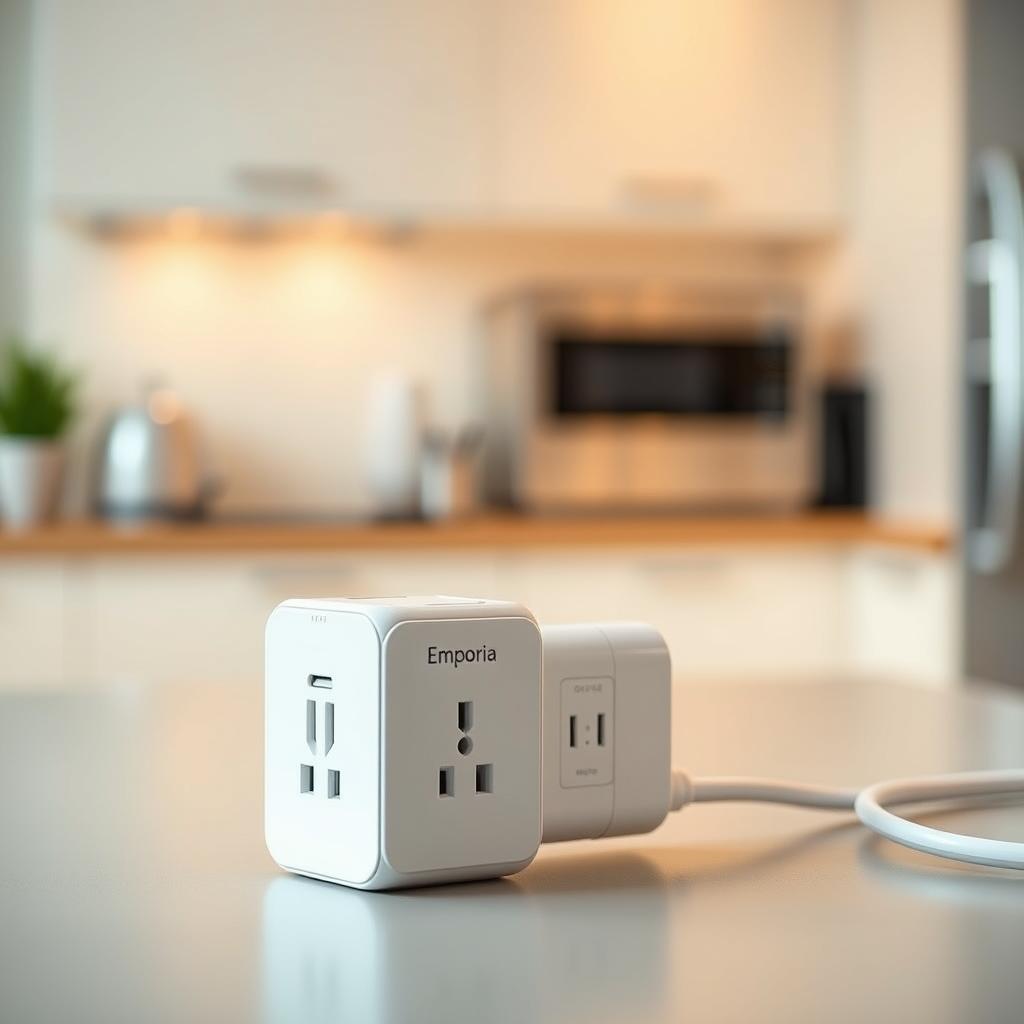
If you want real numbers on appliance use, the Emporia 15A makes energy visible and useful. We like its compact design, fast account setup, and clear graphs that show real‑time and historical consumption.
Why it stands out: automatic scheduling and granular energy charts
The app surfaces on/off status and tidy charts you can tap for more detail. That monitoring is actionable: you see usage, then set schedules that trim run time during peak hours.
Best for: buyers who value energy data over Apple Home support
Emporia integrates with amazon alexa and google home for voice control. It does not support Apple Home natively, so buyers tied to that ecosystem may look elsewhere.
- Why we recommend it: reliable energy monitoring and intuitive scheduling.
- Compact form keeps the second outlet free and adds responsive on‑device control.
- Great price-to-feature value—often under $15—so tracking energy is affordable.
Label devices in the app to keep routines tidy. For broader ideas on extending automation across your kitchen, visit https://zovehomes.com/kitchen/.
Best budget Wi‑Fi smart plug for kitchens: TP‑Link Kasa Smart Plug Mini
We often choose devices that just work — and the Kasa Mini fits that simple test. It pairs fast and keeps a low profile behind appliances so the second outlet on the wall stays usable.
The kasa smart plug mini offers dependable scheduling, timers, and an away mode via the app. Voice control works with amazon alexa and google home, so you can control devices hands‑free while cooking.
Simple setup, compact design, robust scheduling
Setup is easy set and typically takes minutes from account creation to first use. The app makes time‑based routines obvious and quick to edit.
- Value pick: low price and reliable day‑to‑day control for multiple outlets.
- Great for small devices — coffee makers, nightlights, and accent lights on predictable schedules.
- No built‑in energy monitoring or HomeKit support; combine with an Emporia unit where energy data matters.
- Compact body avoids blocking ports and reduces backsplash crowding.
For wider ideas on lighting scenes and outlet upgrades, see our hub at https://zovehomes.com/kitchen/. The Kasa Mini is a solid, affordable base layer for modern home control.
Best for Apple fans and Matter homes: Leviton D215P smart plug
When Apple Home integration matters, choosing a Matter-capable device simplifies daily control. The Leviton D215P supports matter, so it works with Apple Home while also offering voice control via Alexa and Google.
Design and feel: its slim body fits tight outlets near backsplashes and crowded counters. The corner window acts as an intuitive indicator and a manual button for quick on/off without fumbling.
Setup is straightforward and the app presents schedules and scenes in a clean layout. That polished interface helps users build routines without a steep learning curve.
- Apple-centered homes: choose the D215P for reliable Apple Home compatibility and cross-platform voice support.
- Space-saving: slim profile preserves adjacent outlets and reduces backsplash crowding.
- Premium trade-off: price is higher than budget options, but the Matter breadth and refined design justify it for many users.
We suggest labeling devices in the app and testing timers after setup; some Leviton models show quirks with timer persistence. For wider planning, see https://zovehomes.com/kitchen/ for system ideas and scene strategies.
Best native Alexa experience: Amazon Smart Plug
When Alexa is the center of your home setup, the Amazon Smart Plug often feels like the path of least resistance. It installs inside the Alexa app for an easy set and avoids creating a new account or separate app to manage.
The plug pairs quickly and offers reliable auto-reconnect after power blips, which saves users time and troubleshooting. That continuity matters for lights and small appliances on a set schedule.
Price is typically higher than many third-party options, so we recommend it when native amazon alexa integration and time-saver convenience are worth the premium.
- Frictionless onboarding: lives in the Alexa app you already use for voice control.
- Practical perks: automatic reconnect after outages and smooth grouping into routines.
- Clear control: label devices in the app for natural voice commands and reliable schedules.
For other alexa google home friendly upgrades and recipes for voice scenes, see our kitchen hub: https://zovehomes.com/kitchen/.
Best dual-outlet control in a compact body: HBN smart plug
When a single receptacle needs to run two routines, the HBN dual unit is a tidy answer. It gives two independently controlled outlets in a small footprint so you don’t block neighboring ports.
Independent naming and scheduling make this plug useful for layered lighting and separate fan timers. Each outlet can be renamed in the app and set to its own schedule, which cuts wasted run time and keeps routines clear.
Why we recommend it
The HBN works with Alexa and Google and is notably affordable compared with running two separate modules. Its compact body reduces outlet crowding compared with most dual designs.
- Two-in-one design for a lamp and fan on separate schedules.
- Rename each outlet and create targeted routines in the app.
- Great for seasonal lights and layered counter lighting without a bulky strip.
- Pair with an energy-focused plug elsewhere if you need detailed monitoring.
Watch total power draw across both outlets to stay within safe limits. For ideas on using dual-control units in broader lighting plans, see https://zovehomes.com/kitchen/.
Outdoor smart control for patios and holiday lighting
Outdoor lighting adds curb appeal, but it also demands gear that survives rain, cold, and long holiday runs.
Start with ratings and ranges. Look for IP scores higher than IP44 if the module will face direct weather. Check operating temperature specs—many budget models stop at 14°F and become unreliable in northern winters.
We avoid options with shaky apps or pairing quirks. Models like GE Enbrighten Dual Outdoor, Cync Outdoor, Monoprice Stitch, and some RCA units showed setup or performance anomalies in real use. Dual-outlet units are handy, but confirm each outlet can be controlled separately.
- Prefer higher IP ratings and clear temperature limits for cold climates.
- Ensure the app keeps reliable schedules and dusk-to-dawn routines for nightly lights.
- Plan for Wi‑Fi reach—use an extender if signals drop at the outlet.
- Factor bridge requirements into cost and complexity (Lutron Caséta needs a bridge; Leviton performed better without Matter).
Practical tips: use weatherproof covers, route cables downward, and test schedules before peak season. For indoor scenes that pair well with your porch or patio, see our kitchen ideas at https://zovehomes.com/kitchen/.
Smart power strips for multiple devices on one outlet
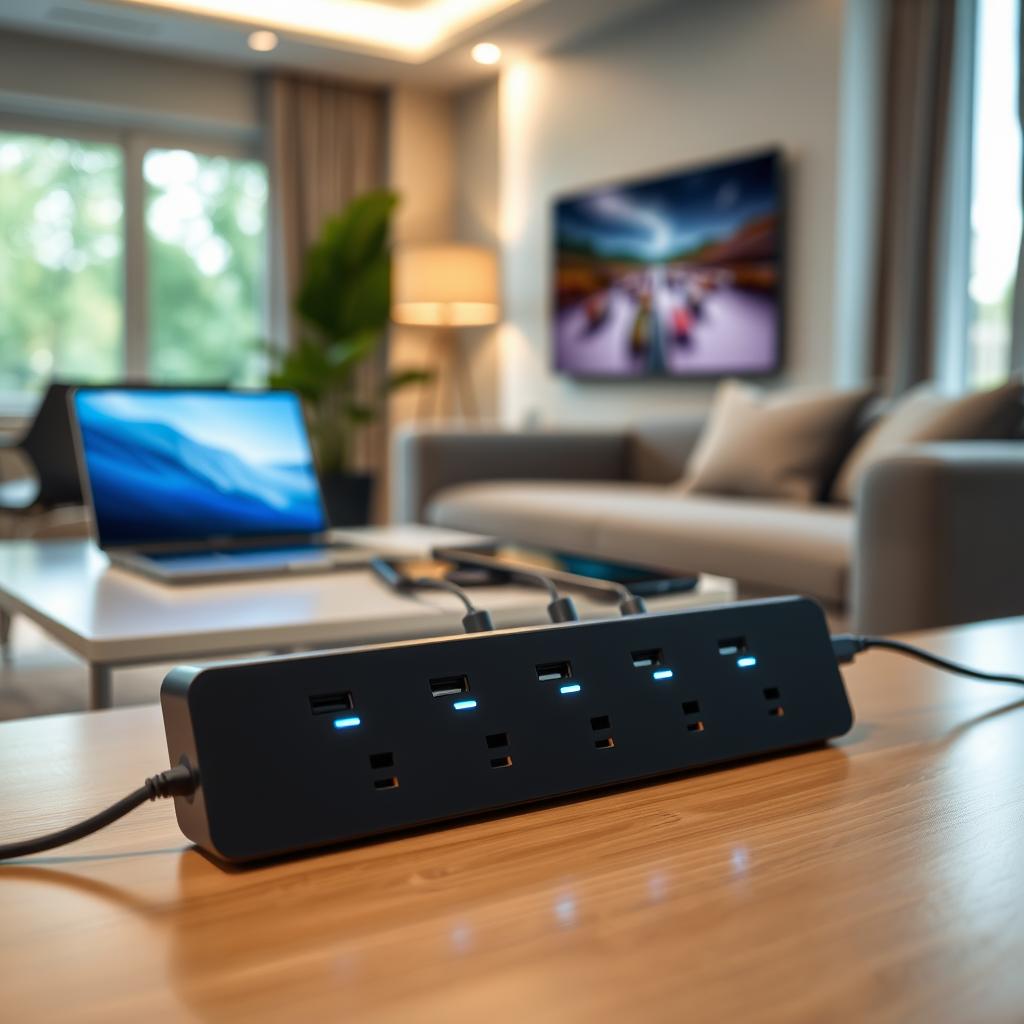
A single wall outlet can become a mini power hub when you choose the right strip. We prefer bars that give per‑outlet on/off and clear energy feedback so each device gets the attention it needs.
Why individual-outlet control and energy monitoring matter
Per‑outlet control lets you schedule coffee stations, prep lights, and a fan independently. That granularity saves energy and avoids leaving everything on during peak hours.
Watch for models that only aggregate energy for the whole bar—those hide which device is the real draw. Brands like Eve Energy Strip show aggregate readings and carry a premium. Geeni Surge lacks physical buttons, monitoring, and USB, so it’s less useful for busy counters.
- USB ports reduce bricks and keep small gadgets charged without extra outlets.
- Physical buttons per outlet are handy for quick toggles without opening an app.
- Choose vertical or angled strips to avoid blocking the neighboring outlet or a backsplash.
- Avoid oversized housings like some ConnectSense units that occupy the whole receptacle.
For layout and cable routing tips, explore our kitchen hub: https://zovehomes.com/kitchen/.
Brands and models we don’t recommend right now (and why)
Not every brand we tested earned a place on our recommended list—some caused more trouble than they solved.
Common faults: poor app onboarding, unreliable pairing, and flaky status updates that make routine control frustrating. We logged specific failures during the setup process and daily use.
App friction, Matter gaps, and missing features to note
- GE Cync: account and UI issues that slow setup and voice scenes.
- Shelly Plus Plug US: responsive device but a complex app that hides features.
- TP‑Link Tapo P110M / KP125M: tougher pairing than similar models and higher price.
- Meross MSS315 / MSS630: Matter instability and IP44 limits for cold outdoor smart use.
- Eve Energy: Thread/Matter setup can remove energy monitoring in practice.
- Geeni and RCA: connectivity and pairing anomalies; some outdoor units fail low-temp tests.
We also avoid multi‑outlet bars with no per‑outlet control (Geeni Surge) or aggregated monitoring only (Eve Energy Strip). Large housings like ConnectSense block neighboring outlets and reduce practical use.
Bottom line: choose products that deliver fast voice and app control with clear compatibility for Amazon Alexa, Google Home, or Apple Home. For reliable alternatives, pivot to our tested picks and visit our kitchen hub at https://zovehomes.com/kitchen/ or see the smart mirrors guide for related upgrades.
Compatibility checklist: Alexa Google Home, Apple Home, and Matter smart standards
Before you buy, match your home ecosystem so outlets behave the way you expect every day.
Start with the platform you use most: Apple Home households often prefer Matter-enabled devices, while amazon alexa or google home users can rely on stable Wi‑Fi models that list native skills.
Check real-world behavior, not just specs. Matter aims to ease cross-platform use, but we saw feature loss or pairing quirks on some units. Confirm that energy monitoring and advanced schedules remain available when a device runs via Matter.
When to choose Matter over classic Wi‑Fi
- Choose Matter if you want true cross-platform scenes and you use multiple ecosystems.
- Choose Wi‑Fi when you need proven stability today — classic Kasa models like the plug mini connected reliably in our tests.
- Verify voice lists for compatible alexa google and google assistant support before purchase.
- Confirm that multi-outlet devices expose individual outlet control across ecosystems, not only in the OEM app.
- For a platform-tailored kitchen plan, see our guidance hub: platform-tailored kitchen plan.
Energy monitoring and automation: cutting waste without cutting convenience
Seeing your daily energy numbers can change small habits into real savings. Smart modules do not save energy by themselves; savings come from scheduling, away modes, and data-driven choices we set in the app.
Schedules, away modes, and peak-hour strategies
Energy monitoring turns raw usage into clear rules. Once users view charts they can set times for devices to run only when they add value. Emporia models even suggest automatic schedules based on measured use.
Use away modes to cut idle draw from lamps and accent lighting while you’re out. Align routines to off-peak hours so coffee makers and nightlights don’t sip energy when rates are high.
- Label zones in the app and set simple time windows to keep the room predictable.
- Start small: add one smart plug, confirm routines stick, then expand to more outlets.
- Stagger loads when a single outlet feeds multiple devices so you avoid unnecessary simultaneous power use.
Pair monitoring with seasonal reviews; winter lighting needs differ from summer. For whole-room strategies and practical setups, explore more energy-saving ideas at https://zovehomes.com/kitchen/.
Installation, safety, and load limits for kitchen appliances
Every outlet in a busy prep area needs careful thought before you add remote control. Start with the electrical rating on the device label and the receptacle. That simple check prevents overheating and unexpected failures.
What not to plug in: high-wattage appliances and medical devices
Most indoor smart outlet products are 15A rated. That equals roughly 1,800W at 120V. Avoid space heaters, window ACs, dehumidifiers, and any device that draws more than that.
- Do not connect refrigerators, washers, dryers, or medical equipment that needs uninterrupted power.
- Respect wall condition and code—consider a smart outlet replacement for a permanent, professional look and proper wiring.
- If unsure, check amperage or wattage on the device, use grounded outlets, and avoid stacking adapters.
- For multiple countertop devices, prefer a power strip with individual outlet control rather than overloading one adapter.
- Revisit routines after adding or moving devices to keep safety aligned with use.
For code-conscious upgrades and more installation details, see our hub at safe kitchen upgrades and consult basic wiring guidance at electrical code basics.
Setup tips: getting through account creation, pairing, and routines
A smooth initial setup makes daily control feel effortless and reliable. Keep steps short and predictable so users build trust fast. We found that apps that ask for permissions up front cut confusion and speed pairing.
- Before pairing, install the app, enable Bluetooth and location, and have Wi‑Fi credentials handy for an easy set.
- Create a consistent naming scheme for plug and device labels so compatible alexa google voice commands work naturally.
- If you use apple home or google home, add the plug after vendor onboarding to keep integrations in sync.
- For compatible alexa setups, enable the vendor skill right away and verify each device appears in the assistant.
- Start with basic routines—on at dusk, off at bedtime—then layer automation as reliability proves out.
If pairing stalls, power-cycle the plug, move closer to the router, and try a 2.4GHz-only connection. Group plugs by zone (for example, “Kitchen Prep”) to control multiple devices with one command. Keep firmware current in the app; updates often fix pairing and support issues.
Need step‑by‑step help? Visit our kitchen hub for platform walkthroughs and detailed setup guides: https://zovehomes.com/kitchen/.
Where to start: explore more kitchen smart upgrades
Begin with one routine you use every day and build from there—small wins make the rest easy. Pick a clear, repeatable task and confirm it works before adding more devices.
See our main kitchen hub for curated ideas on outlets, layered lights, and scene planning: https://zovehomes.com/kitchen/.
Try one or two modules on obvious tasks: morning lights, the kettle, or a prep lamp. If you like Kasa’s simplicity, add a Kasa Smart plug mini for compact control. If you want insight into use, blend an Emporia unit for targeted energy data.
- Start small and expand as routines prove reliable.
- Map devices to zones so the app lists stay tidy for everyone in the home.
- Consider ports and USB needs at the coffee station or a slim power strip for multiple outlets.
- Aim for consistent platform choices—Apple Home or Google Home—to avoid app jumping.
Reassess seasonally and label each outlet and device so control stays intuitive. When you’re ready to scale, our hub helps you connect outlets, lights, and controls with a design-led approach.
Conclusion
Your best pick balances compatibility, app clarity, and cost so routines reliably save time and energy. We recommend Emporia for energy data, Kasa for low price and fast setup, Leviton for Apple/Matter homes, and Amazon for native alexa google convenience.
Each option works well in daily use and gives clear control of outlets and ports. Check support and compatibility before buying to avoid returns. For outdoor smart needs, prioritize ratings and climate suitability rather than assuming indoor modules will survive winter.
Keep labels and schedules tidy, review settings seasonally, and start with one smart plug so users build trust quickly. For related lighting choices, see our energy-efficient lighting guide. Ready to transform your home? Explore our curated kitchen guide and get started today: https://zovehomes.com/kitchen/