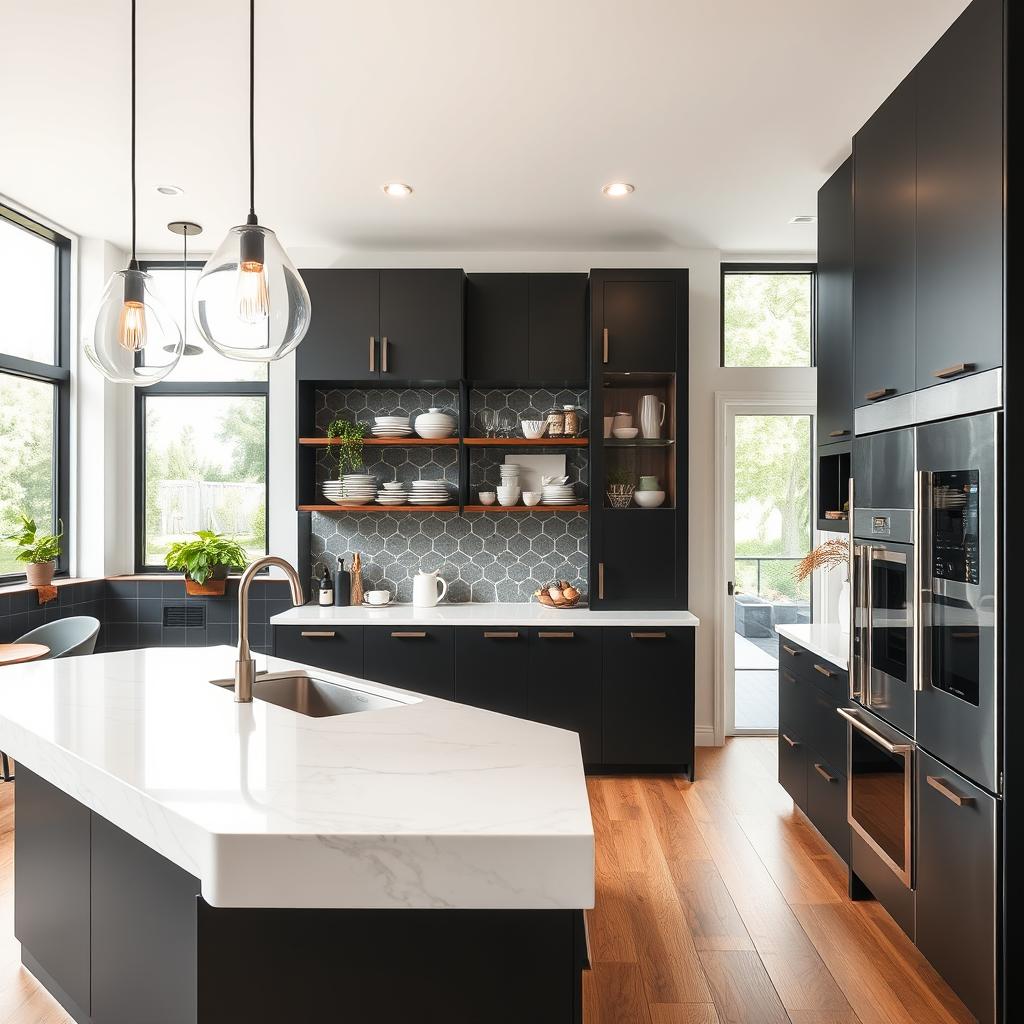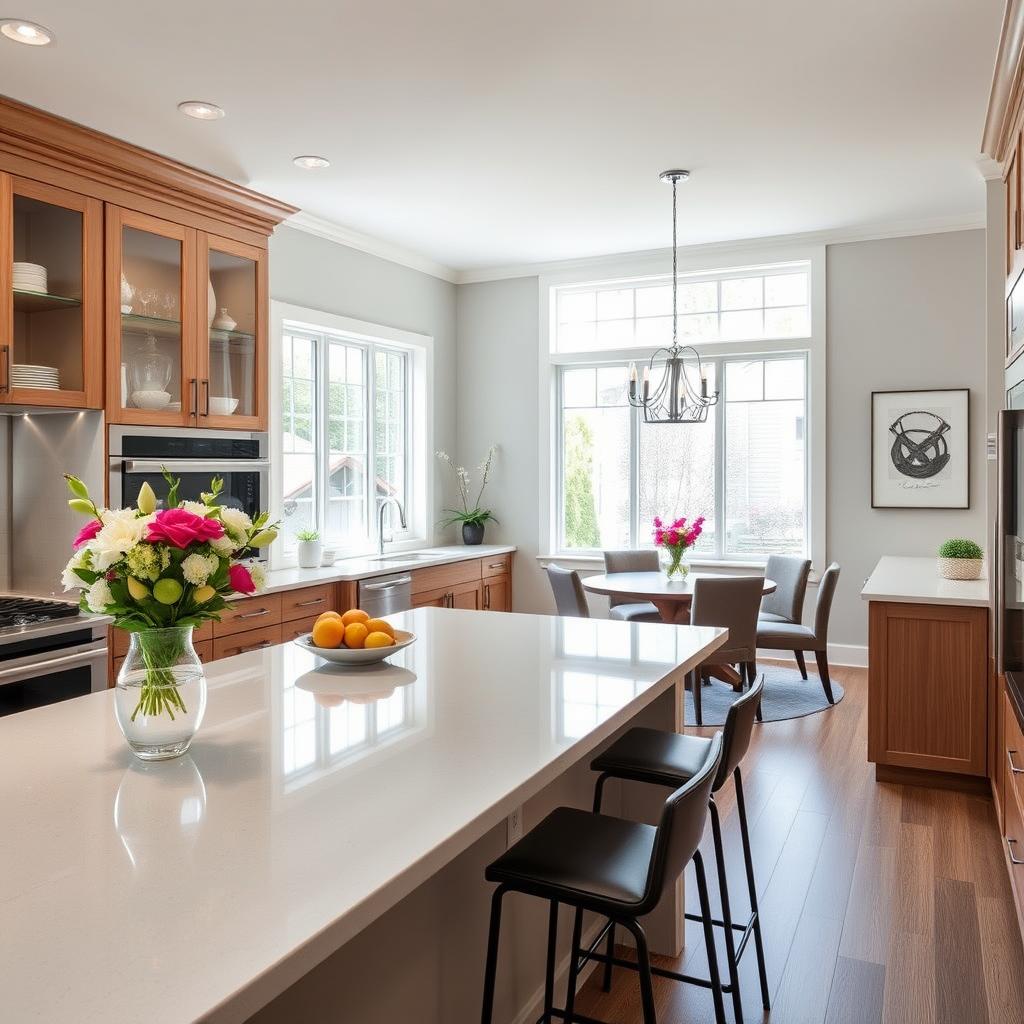

I still remember the first time I changed the mood of a room with a single bulb. It felt like the space sighed in relief. That mix of design and function is what brings us here.
We open this buyer’s guide with a designer’s lens to help you pair aesthetics and performance. We focus on practical details you can use today.
Across brands like WiZ, Philips Hue, GE Cync, Tapo, Lifx, Govee, and Ring, you’ll find options that differ in lumen output, color control, and hub needs. Some bulbs reach 1,100 lumens; others excel with scenes or Matter compatibility.
Our aim is to translate specs into real outcomes: task clarity on counters, cozy scenes for dinners, and a clean, built-in look with concealed cabling.
Key Takeaways
- We balance style and function so light supports cooking and entertaining.
- Look for dimming, scenes, scheduling, and platform compatibility.
- Choose bulbs or strips based on lumen needs and beam spread.
- Decide if a hub is worth it for advanced scenes and remote access.
- Matter helps brands work together for whole-home control.
How to use this kitchen buyer’s guide
Good results start with a clear plan: know the outcomes you want from each area of your room before you shop. That makes every choice—bulb, strip, or fixture—part of a cohesive plan rather than a scatter of one-offs.
Start here: plan your goals and budget for a cohesive look
- Clarify outcomes: bright prep zones, soft evening scenes, or both. This sets the overall lighting strategy.
- Set a budget that covers bulbs, strips, accessories, and any hub. Spend more on under-cabinet runs and island pendants.
- Pick a control platform early so the app and voice choice match the brands you shortlist.
- Map the room and circuits. Mark outlets, pass-throughs, and diffuser needs for a clean, built-in finish.
- Prioritize features you’ll use daily—tunable whites, scenes, motion—and note exact measurements for strips.
Use our central resource for ideas, checklists, and vetted product pathways: https://zovehomes.com/kitchen/. It’s the fastest way to turn goals into a phased, affordable solution.
Understanding smart lighting for kitchens today
Today’s connected bulbs do much more than flick on; they tie into scenes, schedules, and whole-home services. We look at the practical pieces that matter so your lights support daily tasks without adding complexity.
What “smart” means now: Matter, apps, scenes, and schedules
Matter makes multi-brand control simpler by letting compatible products work across Alexa, Google Home, and Siri. That reduces the number of apps you need and keeps scenes consistent across devices.
Apps remain central. A good app gives you easy scene creation, fine dimming, and reliable remote control. Some ecosystems—like Philips Hue—require a bridge for full remote access and Apple support.
- Scenes let you swap from bright prep to warm dining with one tap or a voice prompt.
- Schedules automate routines, from sunrise wake-ups to post-dinner wind-downs.
- Presence and motion features save energy by switching lights on only when someone is in the room.
- Music sync and dynamic effects (GE Cync Dynamic Effects) add energy for gatherings.
Decide whether you need away-from-home control. Many Bluetooth-only modes limit remote access unless bridged to Wi‑Fi or a hub. We recommend mapping control needs before you buy so the system helps your daily rhythm, not complicates it.
Smart lighting kitchen
Layering ambient, task, and accent sources gives every zone a clear purpose and makes the room feel intentional.
Start with a smart light for task areas, then add strips or puck fixtures for edges. This mix keeps counters bright for prep and creates warm ambiance for meals.
We favor integrated fixtures with trims, diffusers, and concealed cabling so everything reads as built-in. Pick a single platform and commit to it; that choice helps scenes span ceiling fixtures, under-cabinet runs, and toe-kick accents.
- Features to prioritize: tunable whites, reliable dimming, and scene syncing.
- Balance: neutral-white at work zones, warmer tones for dining and lounge edges.
- Scalability: start small and add zones later without redoing wiring.
For open-plan homes, use gentle fades and low-glare accents so the lights support conversation and media without distraction. Let your system improve visibility and mood while staying discreet and elegant—making the pragmatic choice feel effortlessly designed.
Key features that matter in a kitchen environment

Practical features make the difference between pretty fixtures and useful illumination. We look at the specific attributes that affect prep work, meals, and evening ambiance.
Color temperature and color: warm task vs. cool prep lighting
Color temperature guides how we assign zones. Cooler whites (about 4000–5000K) sharpen visibility for chopping and reading recipes. Warmer tones (2700–3000K) make dining feel relaxed and inviting.
Pick bulbs that let you tune both temperature and color so one fixture can serve multiple uses.
Brightness and lumen targets for counters, islands, and toe-kicks
Measure lumen needs, not just wattage. Counters and islands need higher lumen output and wider beams for even coverage. Toe-kicks work well at low levels to mark paths and add subtle depth.
- Islands/counters: aim for bright, even light — consider bulbs that reach 1,000+ lumens like some Tapo options.
- Toe-kicks: low lumen, warm tone for night navigation.
- Beam spread: check beam angle to avoid hot spots.
Dimming, scenes, and routines for day-to-night ambiance
Choose products with smooth dimming and reliable scene saving. We save routines like “Prep Mode” and “Dinner” so a tap resets color and brightness across zones.
Features to prefer include tap-to-dim, voice control, and memory after power loss. For dynamic effects or music sync, GE Cync and Govee offer lively color options for entertaining while WiZ and Tapo cover fine temperature and brightness control.
Platform and voice compatibility: Alexa, Google, Apple, and Matter
Your voice ecosystem dictates which products play nicely together and which need extra hardware. Pick Alexa, Google Home, or Apple first so purchases match how your household will actually use the system.
Some brands require a bridge for full remote access and Apple support. For example, philips hue needs its Hue Bridge to unlock Wi‑Fi remote control and reliable apple home integration. Ring Pathlights also depend on a Ring Bridge to link outdoor gear to other devices.
- Start with your voice platform: Alexa and google home get the broadest brand support; apple home often needs a hub or bridge.
- Wi‑Fi or Bluetooth-only gear is easy to set up but can limit away-from-home controls and advanced automations.
- matter reduces friction—brands like WiZ and Tapo will appear in preferred apps while retaining native features.
- Check the platform matrix: some GE Cync and Govee models skip apple home, which matters in mixed ecosystems.
We recommend testing voice phrases and scene names before finalizing. Also confirm your router can handle many connected devices; larger installs benefit from bridges that free up Wi‑Fi and improve responsiveness.
Best smart bulbs for general kitchen lighting
Choosing the right bulb changes how a room performs and feels every day. We focus on picks that balance brightness, control, and long-term app support so your fixtures work for cooking, dining, and entertaining.
Affordable all-rounders for ceilings and pendants
For ceilings and pendants, WiZ color bulbs deliver Matter support, tunable whites, and millions of colors at a budget price. They are an excellent entry point for a versatile smart light setup.
TP‑Link Tapo’s 1,100‑lumen bulb gives extra punch where counters are deep or the room is darker. Both play nicely with Google Home and offer reliable daytime and evening scenes.
Floodlight options for wide coverage
For recessed cans, Philips Hue BR30 floods offer smooth dimming and robust scene controls. Plan for the Hue Bridge to unlock remote access and Apple Home integration.
GE Cync Dynamic Effects flood bulbs add multi‑quadrant colors and music sync for parties, though they lack apple home support. If you want simple white-only groups, Wyze packs remain a solid value pick.
- Fit and beam: confirm E26 bases and can sizes before ordering.
- Zone strategy: use higher-lumen bulbs for task areas and lower outputs for dining.
- Blend and save: mix color-capable bulbs with tunable-whites to control cost and creativity.
These options give you flexibility and clear features to match your needs. Save scenes for daytime prep and evening dining so switching moods feels effortless.
Smart light strips for cabinets, toe-kicks, and shelves
Under-cabinet strips transform task zones into purposeful, well-lit workspaces without fuss. We prefer strips that balance brightness, color accuracy, and reliable app control so daily use feels effortless.
Top pick and why it stands out
Govee Strip Light 2 Pro leads for under-cabinet work and backsplash glow. It packs more LEDs per meter, gives bright output and accurate colors, and supports Matter for broader integration. Note: the Pro cannot be cut, so measure carefully before ordering.
Easy and budget options
The TP‑Link Tapo L930‑5 shines for simple setup and a clean app with presets and Away Mode. It plays nicely across Alexa, Google, Apple, IFTTT, and SmartThings. For tight budgets or secondary shelves, the WiZ RGBIC offers solid colors, multiple lengths, and a strong connector at a lower price.
Practical fit and install details
- Decide: trimmable strips let you shorten runs; extendable modules add length. Follow manufacturer instructions to avoid damage.
- Use diffusers to smooth dots on glossy backsplashes and reduce under-cabinet glare.
- Clean surfaces with isopropyl alcohol and press adhesive firmly for best hold; adhesives weaken if removed.
- Expect polyurethane jackets to yellow slightly over years when off—this is cosmetic, not a color accuracy issue when the strip is on.
- Keep native app access; third-party platforms may not expose every effect or animation you’ll want to use.
Design-led placements that elevate your kitchen

Small runs of LED strip can change how you move through and enjoy the space. We focus on placements that balance task clarity with elegant ambiance and easy everyday control.
Under-cabinet task lights and backsplash glow
Run strips toward the front rail for even task light and bounce a soft glow off the backsplash for a high-end sheen. Use diffusers to soften visible diode points on glossy stone or tile.
Toe-kick accents for nighttime navigation
Add low toe-kick strips just under the cabinet face to create a warm path. These runs give usable night light without disturbing adjacent rooms.
Inside glass-front or bar cabinets for display
Mount strip runs along the front shelf lip and use diffusers to hide LEDs and elevate displays. For plug-in options like GE Cync Direct Connect, drill discreet pass-throughs inside base cabinets and hide cords with paintable covers.
- Coordinate subtle colors and warm evening scenes to match finishes.
- Balance pendants, under-cabinet light, and toe-kicks to avoid hotspots.
- Group placements into room scenes and sync to schedules for hands-free transitions.
For placement ideas and practical install tips, see kitchen lighting ideas and our guide to install under-cabinet lighting.
Real-world installation insights for a clean look
Clean wiring and tidy runs make a finished install look custom, not cobbled together. We focus on practical moves that keep power supplies and controllers hidden while preserving cabinet function.
Concealing cords, discreet pass‑throughs, and cable covers
Use plug-in, adhesive-backed options like GE Cync Direct Connect for fast installs. Drill a small hole inside the sink base to feed the lead into toe-kick cavities and mount the control box inside the cabinet for easy access.
- Plan each run: map start and end points so power supplies live in accessible base cabinets and stay out of sight.
- Use pass‑throughs: drill small holes in inconspicuous spots (sink-side panels work well) to route wires cleanly into toe-kicks.
- Finish work: fit aluminum channels with diffusers where a strip is visible, and use paintable cable covers on short exposed spans for a near-invisible result.
- Test and label: test each segment before final adhesion, coil excess wire neatly, and label power supplies per zone for future service or expansion.
These simple steps give a polished, durable solution and make maintenance the easy way. Follow the small details and the install reads like professional work throughout your home.
App control, scenes, and dynamic effects
A thoughtful control scheme makes daily transitions—prep, dinner, and late-night—feel effortless.
Start by building three core scenes: bright prep, warm dine, and a low‑level path mode. Save each as a quick tile in your app so family members can tap or call them by voice.
Lean on native apps for advanced colors and animations. Govee’s apps give broad effects and music sync. Tapo’s app is simple, with presets and Away Mode. WiZ excels at schedules and automations. Expose essentials to Google Home so universal voice commands work across brands.
- Create grouped zones — under‑cabinet, ceiling, and toe‑kick — so each layer can be adjusted independently.
- Use schedule blocks tied to meals and sunrise/sunset so the light reacts automatically.
- Reserve dynamic effects for parties; daily scenes should favor steady whites and gentle fades.
- Enable Away routines for travel and confirm remote access; Bluetooth-only devices will limit out‑of‑home control.
Back up or export custom scenes when possible. Integrate scenes with other smart home triggers like pantry motion or a mudroom door to automate common tasks. Keep scene names clear so voice control works without confusion.
For brightness planning and lumen targets, see our lumen guide to match scenes to real world needs.
Music sync and entertaining in open-plan homes
When audio and color move together, an open-plan area feels curated rather than chaotic. We use music sync to add energy while keeping task areas reliable and safe.
GE Cync Dynamic Effects bulbs paint large zones with four color quadrants that pulse to music, perfect for islands and dining. Govee strips and panels bring 11 music modes and many scenes, so you have flexible options for every gathering.
- Dial back saturation and choose harmonized palettes so colors support conversation across the home.
- Create a voice shortcut like “Entertain Mode” in Google Home or your smart home hub to start multi‑zone effects instantly.
- Keep task lights steady and warm so guests can see food and move safely while accents animate the room.
- Test effect brightness at evening levels to avoid glare on TVs or glossy surfaces, and save curated color sets tied to your finishes.
- Use zoned groups and a manual “off” tile so effects never spill into bedrooms or hallways unintentionally.
For more design-led inspiration, see kitchen decor ideas to match colors and materials with your entertainment scenes.
Outdoor and transitional zones: porches and entries off the kitchen
Extend your indoor design language to the porch and entry so the transition feels intentional and secure.
We recommend weather-rated options that match interior scenes and improve safety. Use exterior bulbs that handle moisture and temperature while echoing the tones you use inside.
- LIFX Outdoor BR30: IP65 rated with 1,100 lumens, tunable color and temperature, Wi‑Fi native support for Alexa, Google Home, and Apple. Fit BR30/E26 housings with proper clearance for heat dissipation.
- Ring Pathlights: Solar-powered with motion sensors and Alexa integration. They require the Ring Bridge for advanced automations and can trigger Ring cameras for recordings.
- Coordinate arrival scenes so one app trigger lights the mudroom, pantry entry, and porch simultaneously for a seamless guest or family arrival.
Use warm, mild settings at thresholds to preserve curb appeal and avoid washing out facades. Place Pathlights where they get sun, and plan bridge placement for reliable connectivity.
Group outdoor and entry lights under one voice command to streamline evening routines and make your house feel welcoming and secure.
Ecosystem deep dives: when to choose Philips Hue, GE Cync, WiZ, Govee, Tapo
Ecosystem selection matters as much as fixture choice — it governs features, apps, and scale.
We recommend choices based on real use, not brand bias. Pick Philips Hue when you need rock‑solid reliability, a refined app, and mature scene tools. Add the Hue Bridge to unlock Wi‑Fi remote control and full Apple Home support across large installs.
- GE Cync: best for playful, multi‑zone color and music sync with Dynamic Effects; note the lack of Apple Home support.
- WiZ: value leader with Matter support, dependable schedules, and 800‑lumen bulbs for daily tasks.
- Govee: pick for bold panels and strip animations—great for parties but keep advanced effects in the native app.
- Tapo: bright 1,100‑lumen bulbs, Matter compatibility, and simple controls for darker rooms and tall ceilings.
Combine ecosystems thoughtfully. Let Matter bridge gaps while preserving advanced effects in each native app. Consider long‑term costs: bridges add upfront expense but can improve performance as your smart home grows.
Longevity and maintenance
Durability matters as much as color and brightness when you plan long runs of under‑cabinet strips. We focus on the practical steps that keep a finished install looking and performing its best.
Polyurethane jackets and appearance
Many strips use a polyurethane jacket that can yellow over years. This yellowing is mostly cosmetic when the run is off.
When the strip is on, color rendering and temperature remain accurate in most cases. Still, note the finish if you expect perfect off-state aesthetics.
Adhesion, channels, and reuse
Most self-adhesive backs lose grip after removal and can lift paint. We recommend aluminum channels when you expect future changes.
- Expect one-time adhesion; plan channels or snap‑in covers for neat re‑installs.
- Keep spare connectors and couplers for field repairs on long runs.
- Clean diffusers with a damp microfiber; avoid solvents that cloud surfaces.
When to replace and routine checks
Replace a run if you see dim segments, persistent flicker, or if adhesive fails and channels won’t secure the led strip reliably. Maintain airflow around drivers to prevent heat-related degradation.
Recalibrate scenes after firmware updates and schedule an annual inspection of cables, adhesives, and connectors to catch small issues before they become visible.
Buyer’s checklist and decision framework
Start with a simple sketch: cabinets, outlets, and traffic paths tell you where light belongs. A short checklist keeps choices clear and helps your installer or contractor work to a shared plan.
Room map and brightness plan
Room map: sketch cabinets, outlets, and pathways to place under‑cabinet, toe‑kick, and display runs where they serve tasks and sightlines.
Brightness: assign lumen targets by zone — high for prep, moderate for islands, low for night navigation — to avoid over‑ or under‑lighting.
Color temperature, platform, and budget
Color temperature: plan cool‑neutral whites for daytime work and warm scenes for evening so transitions feel intentional.
Platform: pick Alexa, Google, or Apple, then shortlist products that natively support your ecosystem (or Matter) for seamless control.
Budget: allocate funds by impact — quality strips and channels for task areas, affordable bulbs for secondary fixtures, and bridges if needed.
Final details and procurement
- Plan scenes and schedules before install so controller locations match how you’ll use the room.
- Specify diffusers, channels, and paintable covers for a built‑in appearance.
- Document exact lengths, connectors, and adapters per run to avoid delays.
- Ensure manual switches or voice fallbacks so anyone can operate the system without app access.
- Choose ecosystems that support future expansion and accessories for the whole‑home plan.
For related systems and wiring ideas, see our guide to bathroom systems for installation parallels and useful details.
Get started on your smart kitchen lighting
Start by listing daily needs—what must be bright, and what can be mood. This cleared view makes picking products and features straightforward.
Plan, pick, and install with confidence. Map work zones, note outlets, and list must-have features for each area. Then choose the mix of bulbs and strips that balances task light and accent glow.
Practical next steps
- Sketch a room map and mark prep, island, and display zones.
- Order measured lengths, diffusers, and cable covers together to save time on install day.
- Pick an ecosystem that fits your app and voice preferences—Hue for bridge control or Matter-ready WiZ and Tapo for simplicity.
- Build three scenes—morning prep, family dinner, and path mode—and save them in your app for one-tap control.
- Schedule a weekend to install core zones, then expand to shelves and entries as you refine the plan.
Favorites and final tip: use our curated kitchen hub to explore layouts and real installs. Ready to begin? Visit our curated kitchen hub to plan, pick, and install with confidence.
Conclusion
Thoughtful placement and the right products make every task easier and every meal feel intentional. A clear choice of zones creates bright task layers and warm, dimmed areas so the room works from dawn through late night.
Pick reliable bulbs, high‑quality strips, and the accessories that hide cords and smooth diffusion. Platform decisions and Matter support unify control; bridges add scale for larger installs. Focus on the features you’ll use daily—tunable whites, scenes, and schedules—to get the most from each purchase.
We recommend a modest maintenance routine and targeted replacements to keep color and output steady. Use our checklist to move from plan to install, then iterate as needs evolve. When you’re ready for curated inspiration and product favorites, our kitchen hub shows the best way forward.